¶ Set up user to login via different login method
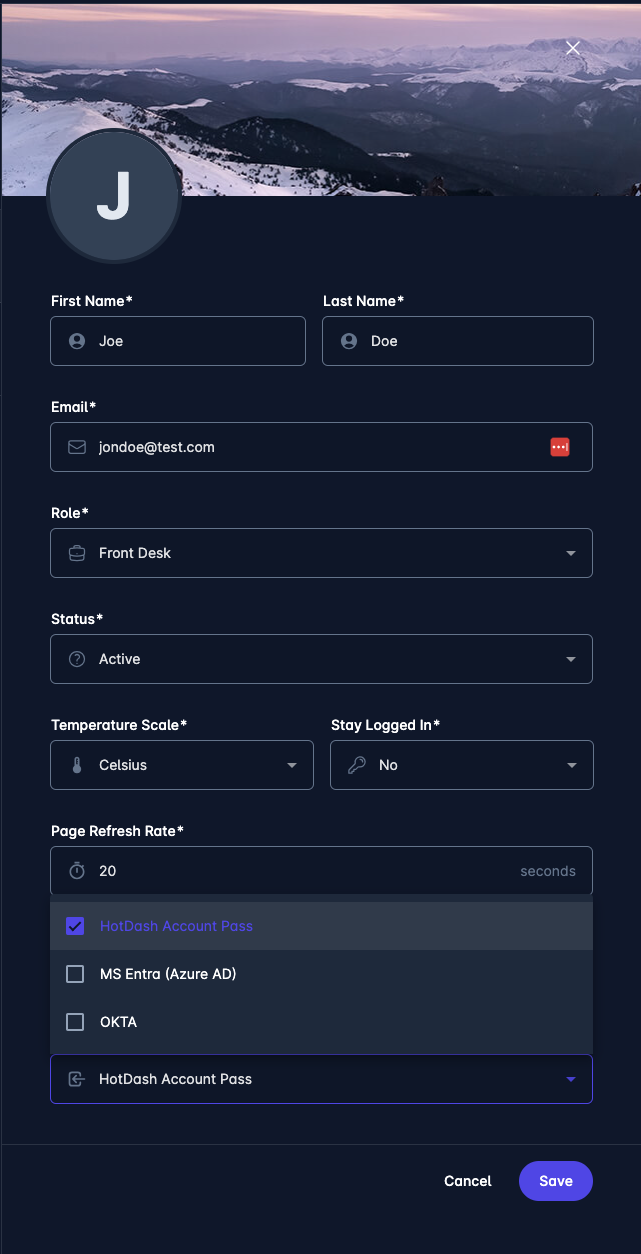
Each user must have "Allowed Sign-In Methods" defined for their user account. This allows for better flexibility, as some users can use more than one method to sign in.
List of allowed sign-in methods must be configured first by HotDash support staff for each hotel/site.
Contact us at support@hotdash.net if you would like to configure an alternative sign-in method, as the only method allowed by default is "HotDash Account Pass".
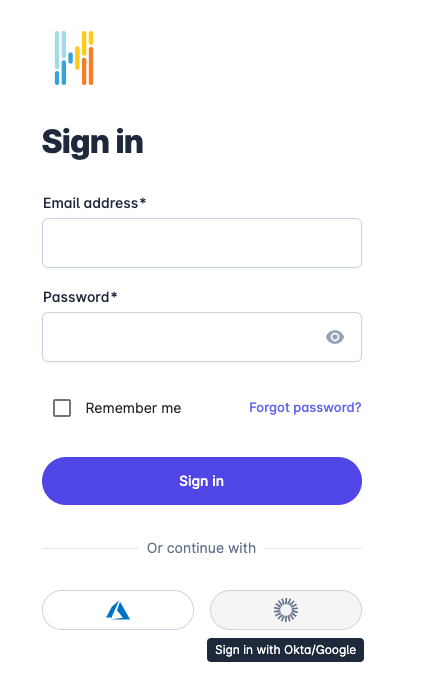
Individual user sign-in methods can be configured in User-Add/Edit menu. See screenshots below:
|
|
|
¶ Setup OKTA Workforce with HotDash
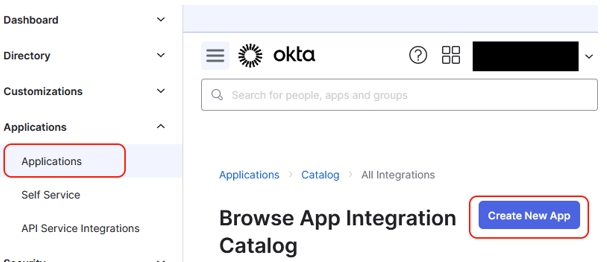
- Login to your OKTA administrator account and create a new application.
- Choose "OIDC – OpenID Connect" as the Sign-in method.
|
-
Select "Web application" as the Application type and click Next.
-
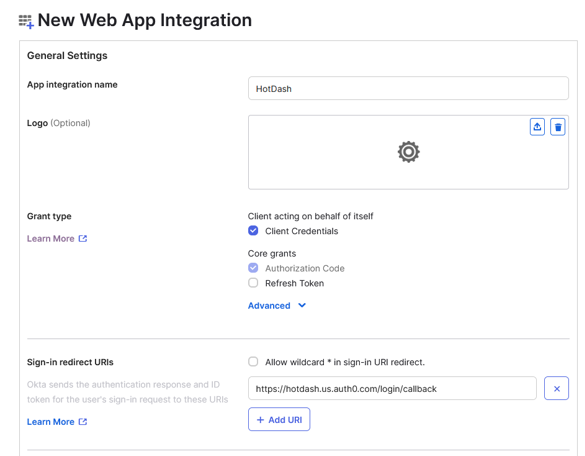
Fill in the Application details:
- Application name: HotDash
- Grant type: Select Client credentials
- Redirect URI:
https://hotdash.us.auth0.com/login/callback - Leave the Sign-out redirect URI blank.
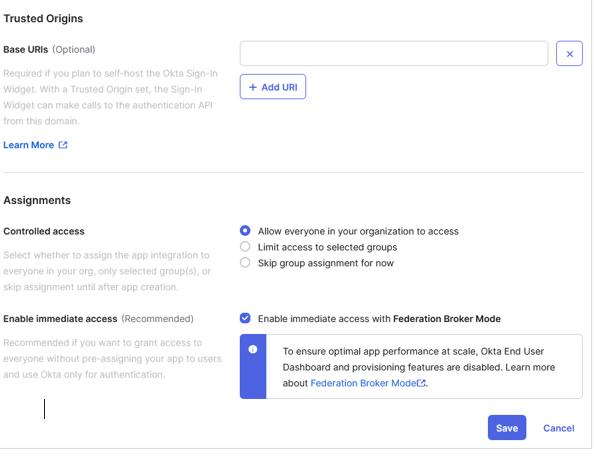
- Select "Allow everyone in your organization to access" to grant access to all users in HotDash.
- Click Save to save the settings.
- After creating the new application, go to Applications → Applications in the left pane. You should see the newly created application in the list.
- Click on the application name.
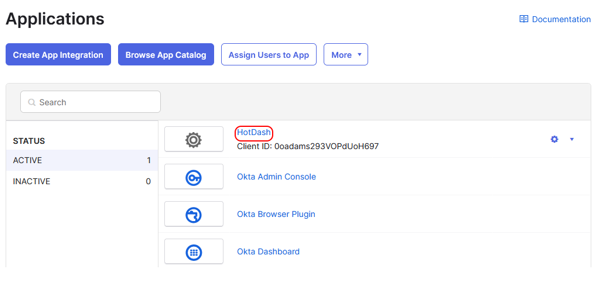
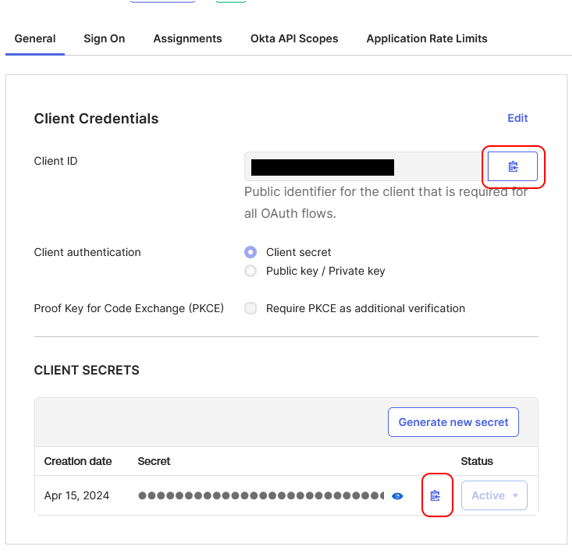
- Copy the Client ID and Client Secret by clicking the icon next to each field.
- Send this information along with the OKTA domain to HotDash via your preferred secure method.
¶ Setup MS Entra ID (Azure AD) with HotDash
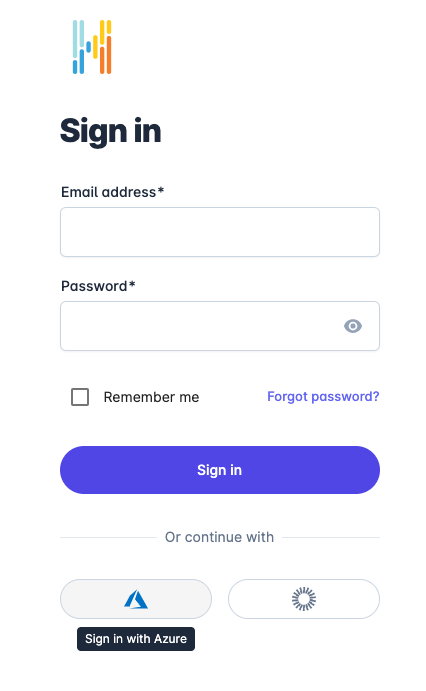
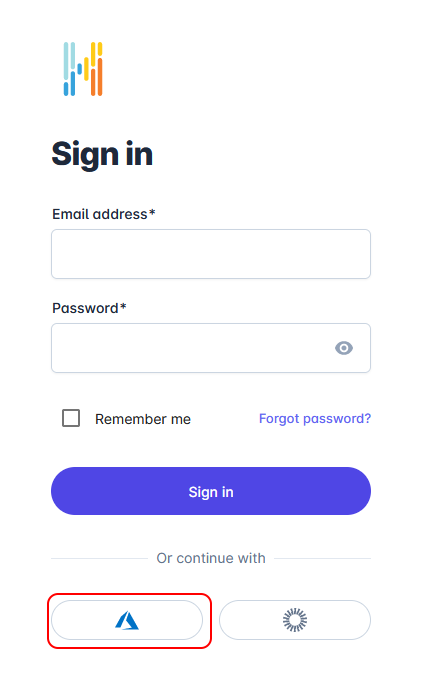
- Go to https://hotdash.net/sign-in and instead of filling in your email and password, click the Entra ID logo.
- Follow the on-screen instructions to log in to your Azure account.
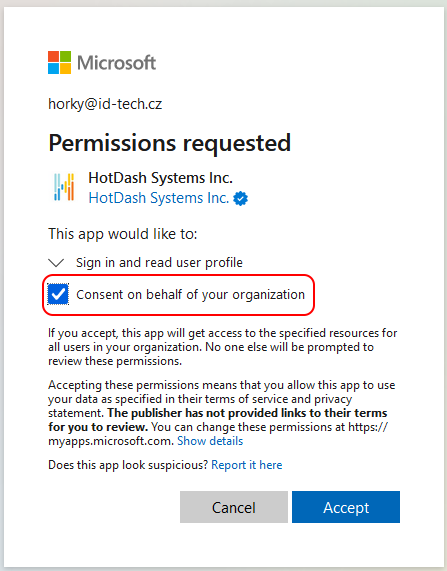
- After login, accept permissions for the HotDash application. Check "Consent on behalf of your organization".
-
That’s it — if you don’t have restrictions on your MS account, there is nothing more to set up.
-
If you want to change MS Entra ID SSO settings:
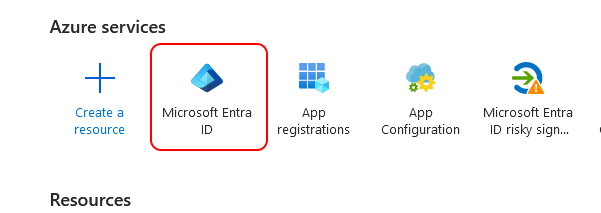
- Go to https://portal.azure.com/ as a Tenant Administrator and click on the Entra ID icon.
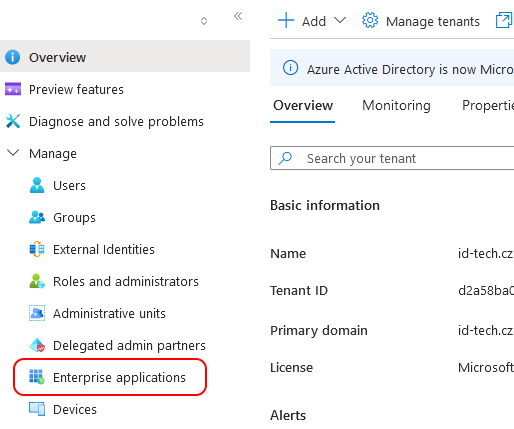
- Navigate to Enterprise applications in the left menu.
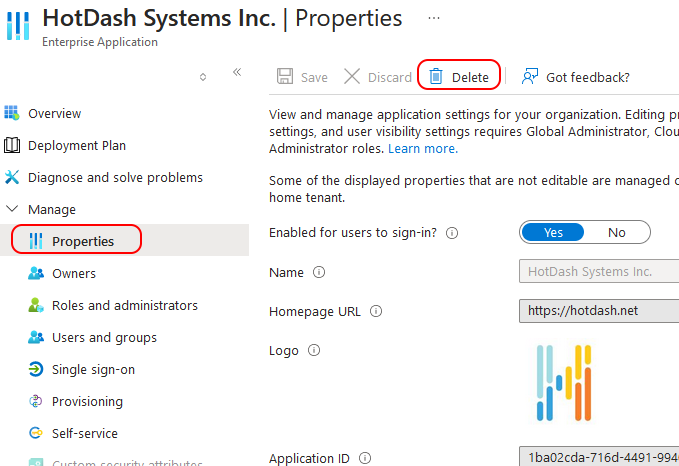
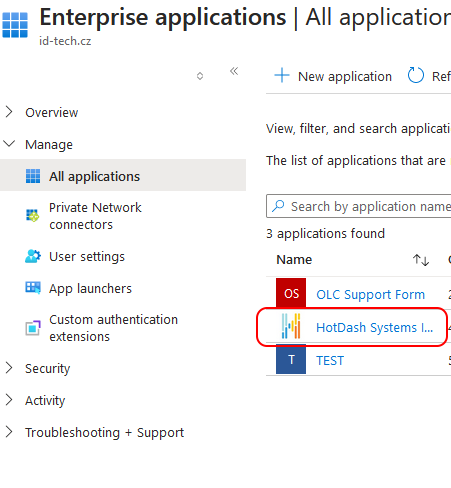
- Click on the HotDash Systems Inc. application.
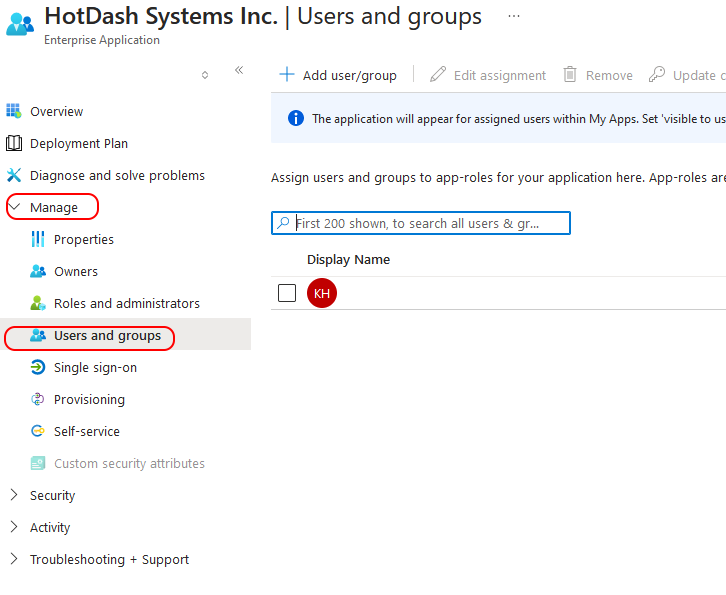
- Manage user permissions here.
- If needed, you can delete the HotDash app in Azure and start over.